The Receive section is where you check in deliveries. When orders arrive from your vendors, you mark them as received here — and Peasy updates your inventory automatically. No manual counting needed.
How Receiving Works
- You create a purchase order (or items come in from a vendor).
- The items show up under Items to receive — meaning they're expected but haven't arrived yet.
- When the delivery arrives, you go to the Receive page and mark items as received.
- Peasy updates your inventory at the selected location.
That's the whole flow. Buy → Wait → Receive → Inventory updated.
Three Views
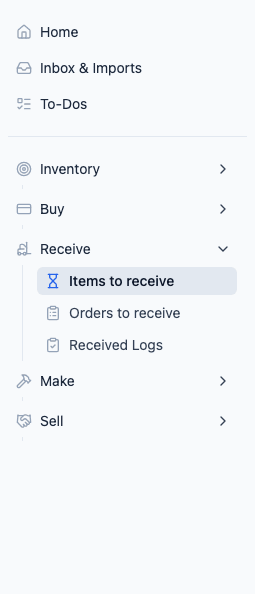
The Receive page has three views, accessible from the sidebar or via tabs:
- Items to receive — Individual items that are on their way but haven't been received yet.
- Orders to receive — Incoming purchase orders grouped for order-level receiving.
- Received Logs — A log of everything you've already received. Use this to look back at past deliveries.
Why It Matters
Without receiving, your inventory numbers would just be guesses. Every time you mark a delivery as received:
- On-hand inventory goes up by the received quantity
- The purchase order status updates (partially or fully received)
- An entry is logged in your Inventory History
- The pending alert for those items clears
Related
- Receiving Pending Orders — How to receive a delivery
- Bulk Receiving — Receive many items at once in a spreadsheet grid
- Receiving Without a PO — How to receive walk-in deliveries and items without a purchase order
- Viewing Receive History — Looking at past receives
- Creating Purchase Orders — How items get into the pending queue