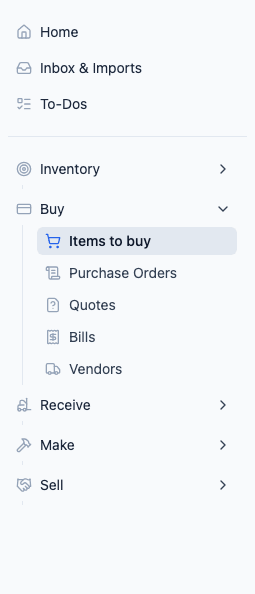
The Buy section is where you manage everything about purchasing — the items you buy, the vendors you buy from, your purchase orders, and the bills you receive. It's the starting point for getting inventory into Peasy.
How Buying Works in Peasy
Here's the typical flow:
- Set up your items — Add the things you buy (ingredients, supplies, products to resell)
- Add your vendors — The suppliers you purchase from
- Create purchase orders — Tell your vendors what you need
- Receive the delivery — When items arrive, mark them as received (this updates your inventory automatically)
- Track bills — Keep tabs on what you owe
You don't have to follow every step — some businesses skip purchase orders and just track what they receive. Use what works for you.
What's in the Buy Section
- Items — Your full catalog of buy items, with costs, units, vendors, and current inventory levels. This is also where you can add items to a cart and create purchase orders.
- Vendors — Your supplier list with contact details and the items they sell you.
- Purchase Orders — Orders you've sent (or plan to send) to vendors. Track status from draft to received.
- Quotes — Request and receive quotes from vendors before committing to a purchase order. See Comparing Vendor Quotes (RFQs).
- Bills — Invoices from vendors. Upload them as PDFs or enter them manually.
Red Badges
You'll see red badges on the Buy section when items need attention:
- Items badge — Items that have dropped below their Restock Point (time to reorder)
- Bills badge — New bills that haven't been reviewed yet
Related
- Add Your Items — First-time setup for your buy catalog
- Managing Buy Items — Ongoing management for Buy > Items to buy
- Managing Vendors — Setting up suppliers
- Creating Purchase Orders — Ordering from vendors
- Managing Bills — Tracking vendor invoices
- Comparing Vendor Quotes (RFQs) — Comparing vendor pricing before you order