The Make section is for businesses that produce, assemble, or prepare products — whether that's cooking recipes, assembling kits, or manufacturing goods. You define what goes into your products (templates), then schedule when to make them (work orders).
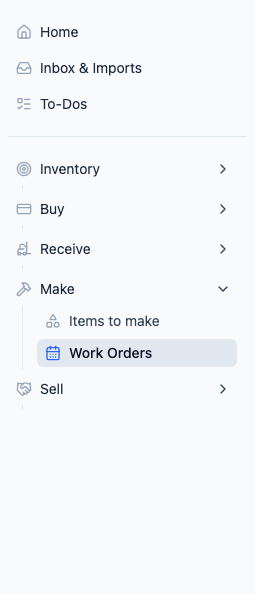
Two Key Concepts
Templates
A template is like a recipe or a bill of materials. It describes:
- What you're making — The finished product
- What goes into it — The ingredients, components, or materials needed
- How much of each — The quantities required
For example, a "Honey Mustard" template might need 2 lbs of mustard seeds, 1 lb of honey, and 0.5 lbs of vinegar.
Work Orders
A work order is a scheduled production run. It says:
- Which template to use
- How much to produce
- When to make it
- Where to make it
Work orders pull from your inventory (ingredients go down). A completed run with a positive quantity made also creates finished product inventory; a zero-output completion records the run and its inputs without adding finished stock.
How It All Connects
- Create a template with your recipe or assembly instructions
- Schedule a work order when you need to produce a batch
- Complete the work order when production is done
- Peasy deducts the ingredients and, when the quantity made is positive, adds the finished product to your inventory
Everything ties back to inventory. If you don't have enough ingredients, Peasy will alert you.
Red Badges
- Items to make badge — Shows how many templates have ingredient gaps (you don't have enough raw materials on hand)
- Work Orders badge — Shows how many work orders are due today or overdue
Related
- Creating Templates — Set up your recipes and assembly instructions
- Building Blocks and Sub-Assemblies — Create intermediate products used as ingredients in finished goods
- Managing Work Orders — Schedule and track production
- Template Gap Alerts — Understanding ingredient shortages